Send a Message to Many Customers or Leads
Send the same email or SMS to several customers or leads at once: an opening-hours change, a price update, a reminder. Each person gets their own message, and each one is listed in Engage → Sent messages.
Send it
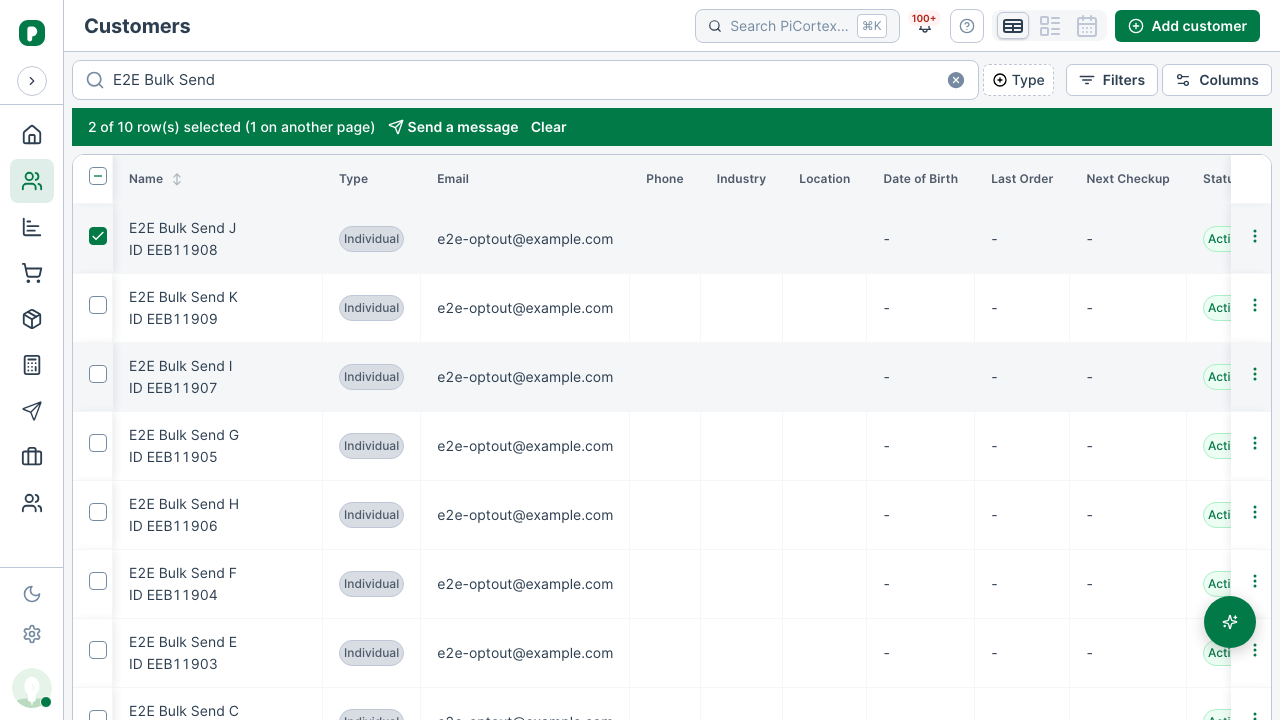
- Open Customers or Leads and switch to the table view.
- Tick the people you want to reach. You can tick on one page, go to the next and tick more: a bar above the table shows how many you ticked, and how many of them are on another page.
- Click Send a message in that bar. It goes to everyone you ticked, on every page.
- Choose Email or SMS.
- PiCortex checks who can get it, and names anyone who won't. Their message shows in Sent messages as failed, with the reason.
- A customer's own email address or mobile number is used first. A customer without one gets it at their first contact's, and Sent messages names that contact.
- An SMS needs a mobile number. A telephone number alone can't take an SMS, and the customer's page says so.
- For an email, add a Subject. Then write the Message. An SMS can be at most 160 characters.
- Click Send to …, check the count, then click Send.
The messages go out one after another. You can watch the count, or close the window: sending carries on either way.
What happens next
When it's done, you see how many were sent and how many failed. Open Sent messages to see each one: who it went to, whether it was delivered, and why any failed. A failed message can be sent again from there.
People who unsubscribed from your emails don't get the email. Their message shows as failed, and says they unsubscribed.
Limits
- Only the rows you tick. You can tick on several pages, but "Select all" across every page isn't supported. Tick the people you mean, up to 200 at a time, and send in batches if there are more.
- Email or SMS. WhatsApp messages are sent one at a time, from the customer or lead.
- Who can send. The same people who can send a message to one customer or lead: admins, ESD and finance.
- Leads assigned to you. If you only see the leads assigned to you, you can only send to those.