Approving from a link
An approval link lets someone approve a quote, or ask for changes, on their phone with no login. When you send a quote for approval on its Approvals tab, each person gets their own link by email (see Quotations). A quote emailed to one of the customer's contacts also carries the link, as an Approve quotation button.
What the approver sees
The link opens a page with your business name, the quote's lines and totals, and a link to the full PDF. Your costs and margins are never shown.
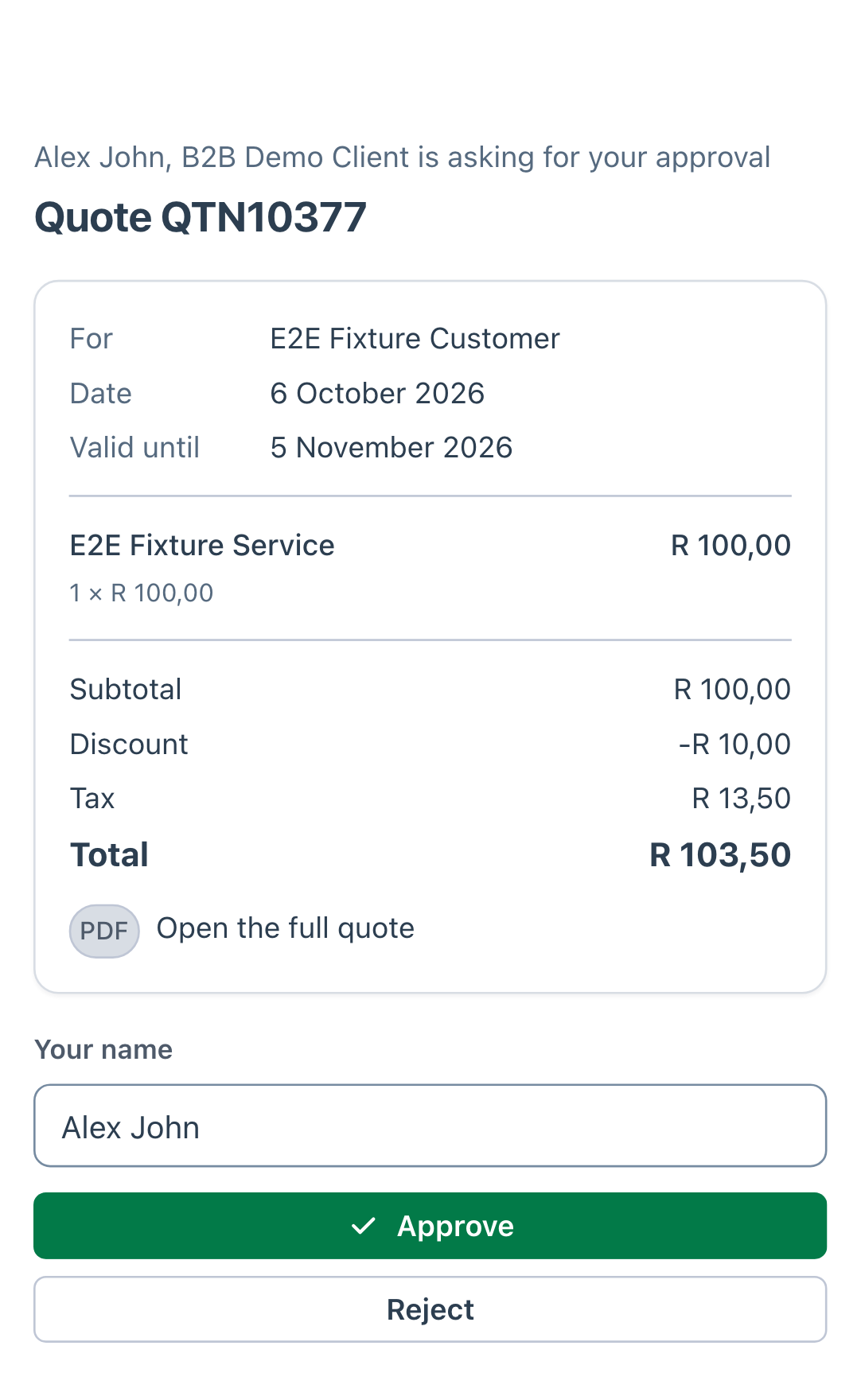
The approver checks their name, then chooses:
- Approve, to approve and accept the quote.
- Reject, then says what needs to change and chooses Send rejection. This always needs a reason.
When someone has already decided
The first answer decides. If a second approver opens their link afterwards, the page says who decided and when, and that nothing more is needed from them.
A link also stops working when:
- it expires (after 7 days), or
- you choose Withdraw request on the quote's Approvals tab.
Where the answer goes
The decision appears straight away on the quote's Approvals tab, with the approver's name, the time and any reason, and it is added to the quote's Notes. The quote's salesperson is told by email, and in PiCortex when changes are asked for.
- Approved: the quote is accepted. Its status becomes Approved, and if it was raised on an event, it becomes the event's quote.
- Rejected: the quote moves to Readjust, ready to be revised and sent again.